> ## Documentation Index
> Fetch the complete documentation index at: https://vibekanban.com/docs/llms.txt
> Use this file to discover all available pages before exploring further.
# Creating Tags
> Create reusable text snippets that can be quickly inserted into workspace prompts using @mentions. Tags are available globally across all projects.
## What are tags?
Tags are reusable text snippets that you can quickly insert into workspace prompts by typing `@` followed by the tag name. When you select a tag, its content is automatically inserted at your cursor position.
Tags use snake\_case naming (no spaces allowed). For example: `bug_report`, `feature_request`, or `code_review_checklist`.
## Managing tags
Access tags from **Settings → General → Tags**. Tags are available globally across all projects in your workspace.
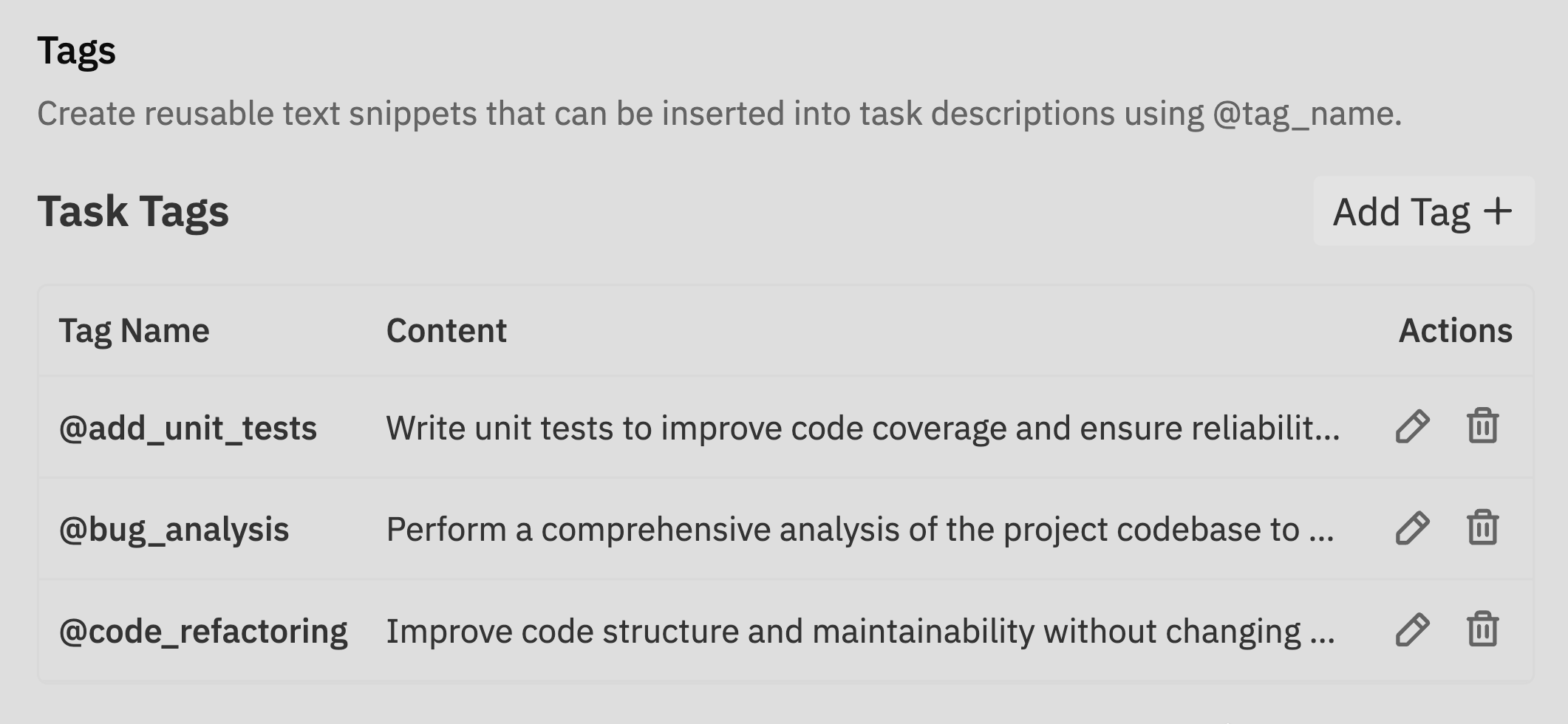 Click **Add Tag** to create a new tag.
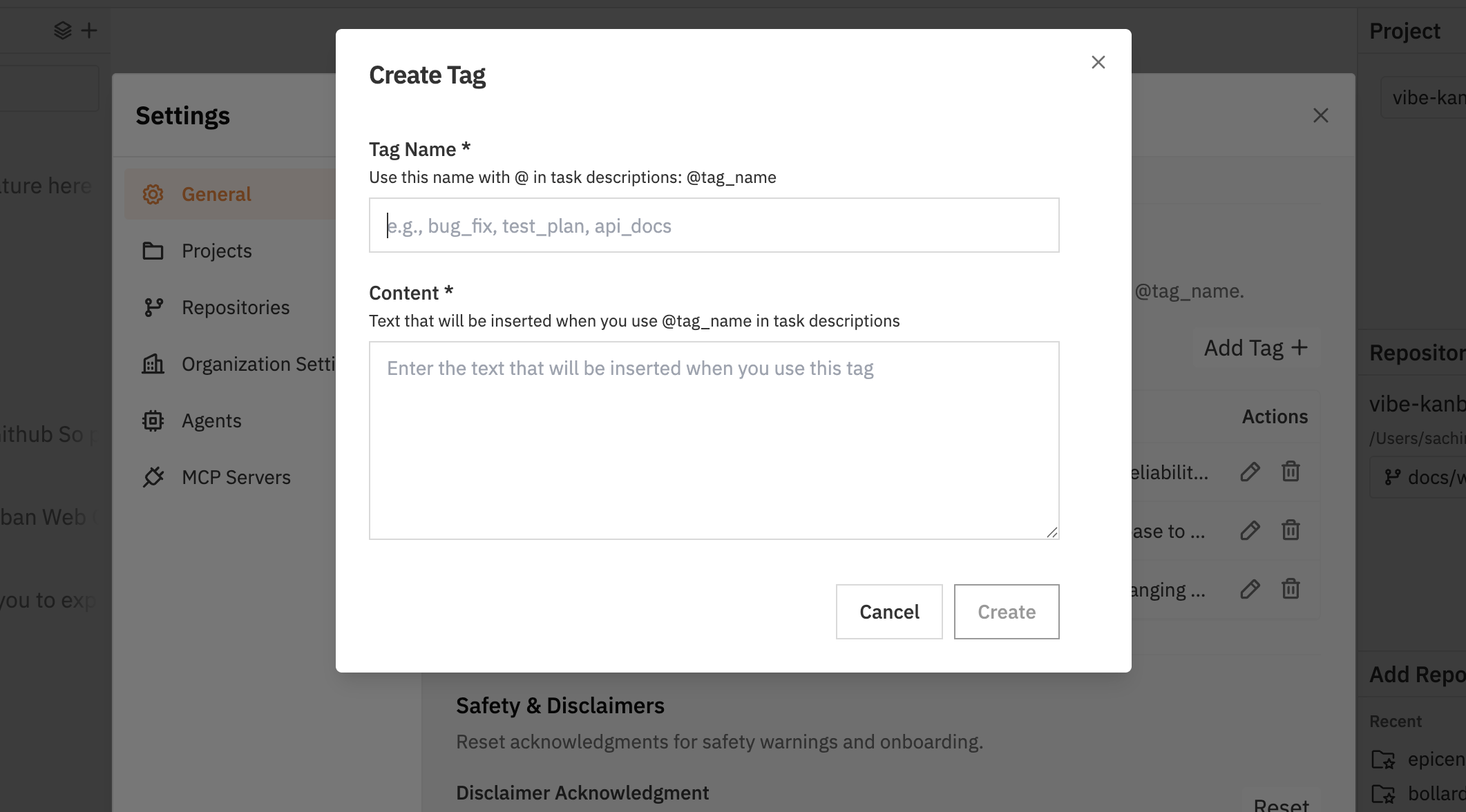 * **Tag name**: Use snake\_case without spaces (e.g., `acceptance_criteria`)
* **Content**: The text that will be inserted when the tag is used
Click the edit icon (✏️) next to any tag to modify its name or content.
Click the delete icon (🗑️) to remove tags you no longer need.
Deleting a tag does not affect existing tasks that already have the tag's content inserted.
## Using tags
Insert tags into workspace prompts and follow-up messages using @mention autocomplete.
When writing a prompt, type `@` to trigger the autocomplete dropdown.
* **Tag name**: Use snake\_case without spaces (e.g., `acceptance_criteria`)
* **Content**: The text that will be inserted when the tag is used
Click the edit icon (✏️) next to any tag to modify its name or content.
Click the delete icon (🗑️) to remove tags you no longer need.
Deleting a tag does not affect existing tasks that already have the tag's content inserted.
## Using tags
Insert tags into workspace prompts and follow-up messages using @mention autocomplete.
When writing a prompt, type `@` to trigger the autocomplete dropdown.
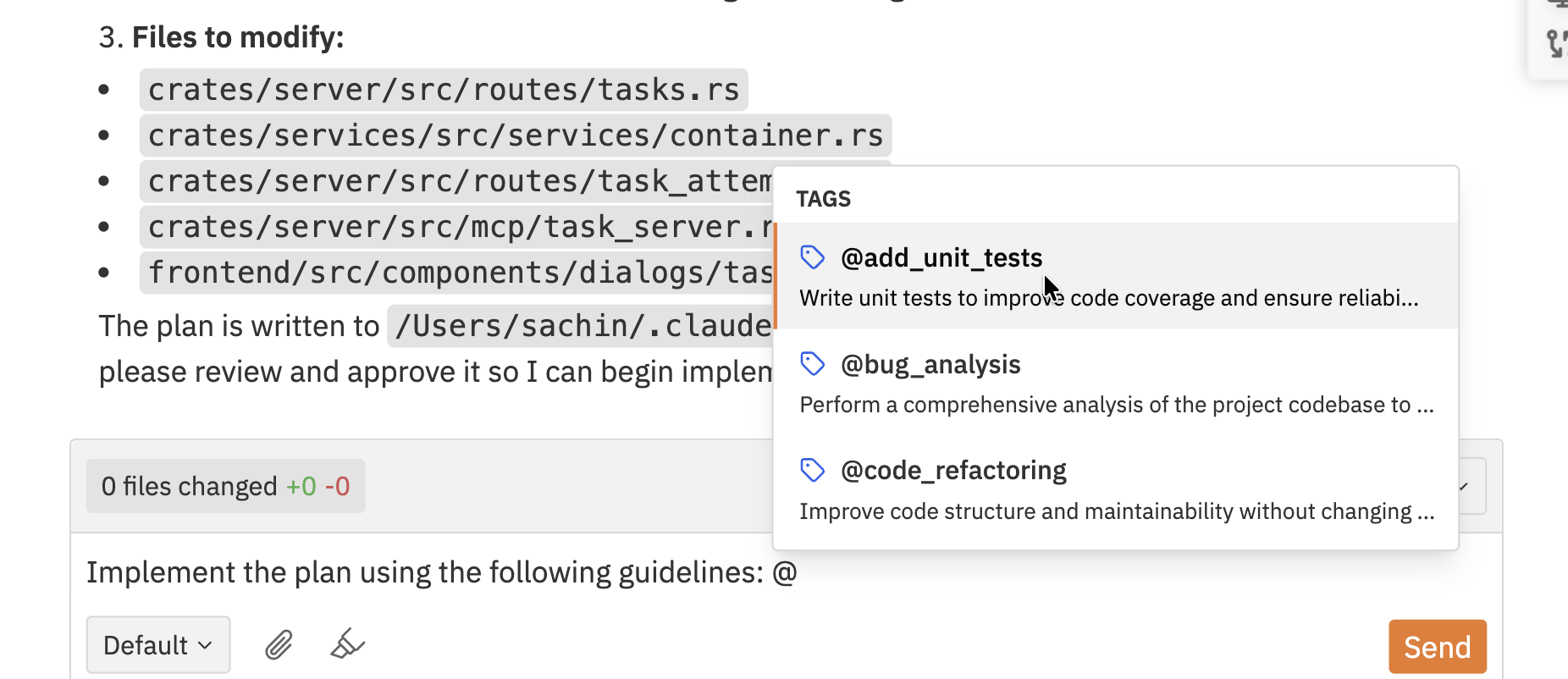 Continue typing to filter tags by name, then:
* Click on a tag to select it
* Use arrow keys to navigate and press Enter to select
* Press Escape to close the dropdown
The tag's content is automatically inserted at your cursor position, replacing the @query.
## Common use cases
Create a `bug_report` tag with standardised bug reporting fields:
```
**Description:**
**Steps to reproduce:**
1.
2.
3.
**Expected behaviour:**
**Actual behaviour:**
**Environment:**
```
Create an `acceptance_criteria` tag for feature requirements:
```
**Acceptance criteria:**
- [ ] Functionality works as specified
- [ ] Unit tests added
- [ ] Documentation updated
- [ ] Accessibility requirements met
- [ ] Performance benchmarks passed
```
Create a `code_review` tag with review checklist items:
```
**Code review checklist:**
- [ ] Code follows project conventions
- [ ] Tests cover edge cases
- [ ] No security vulnerabilities introduced
- [ ] Performance impact assessed
- [ ] Documentation is clear
```
Tags work in all text fields that support the @mention feature, including workspace prompts and follow-up messages, making it easy to maintain consistency across your tasks.
Continue typing to filter tags by name, then:
* Click on a tag to select it
* Use arrow keys to navigate and press Enter to select
* Press Escape to close the dropdown
The tag's content is automatically inserted at your cursor position, replacing the @query.
## Common use cases
Create a `bug_report` tag with standardised bug reporting fields:
```
**Description:**
**Steps to reproduce:**
1.
2.
3.
**Expected behaviour:**
**Actual behaviour:**
**Environment:**
```
Create an `acceptance_criteria` tag for feature requirements:
```
**Acceptance criteria:**
- [ ] Functionality works as specified
- [ ] Unit tests added
- [ ] Documentation updated
- [ ] Accessibility requirements met
- [ ] Performance benchmarks passed
```
Create a `code_review` tag with review checklist items:
```
**Code review checklist:**
- [ ] Code follows project conventions
- [ ] Tests cover edge cases
- [ ] No security vulnerabilities introduced
- [ ] Performance impact assessed
- [ ] Documentation is clear
```
Tags work in all text fields that support the @mention feature, including workspace prompts and follow-up messages, making it easy to maintain consistency across your tasks.